Managing Hybrid Teams on a Budget: How Small Businesses Can Start With a Free Workforce Platform
Posted by Justin Roy
Filed in Technology 15 views
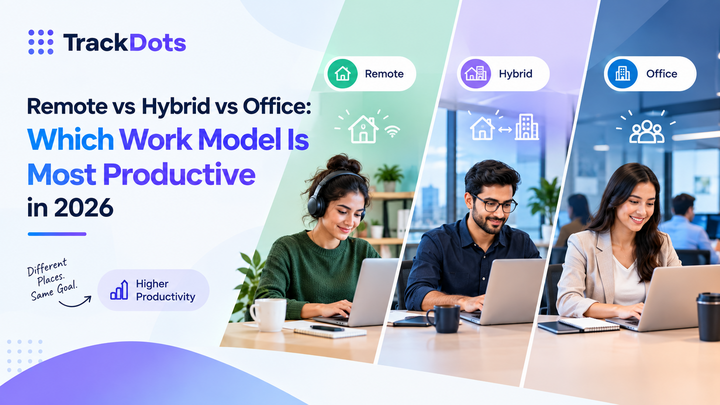
Small businesses face the same hybrid work challenges as large enterprises, often with fewer resources. Who is working on what? How many hours does each project actually consume? Are people overloaded? You do not need an expensive suite to answer these questions. A free employee monitoring and time tracking platform can provide a practical starting point. This guide shows how small teams can build a simple, effective workforce management routine.
Set Up the Basics First
Begin with three essentials: time tracking by project, a shared leave calendar, and a weekly workload review. These habits give managers reliable visibility and require little training. Define project codes, agree on tracking rules, and decide which reports matter. Keep the first month simple. Teams that attempt advanced analytics before basic discipline usually end up with messy data that nobody trusts.
Choose Tools That Scale
Free plans are useful only if they can grow with you. Check user limits, data retention, export options, and upgrade paths. TrackDots offers a free tier for small teams with no credit card required, then scales to Pro and Business plans as headcount and needs to expand. That structure lets you prove value before committing a budget, which matters when every subscription is scrutinized.
Want to test a workforce platform without upfront cost? Try TrackDots from API Dots.
Build a Healthy Hybrid Routine
Technology supports habits, not the other way around. Schedule weekly planning, keep core overlap hours for collaboration, and reserve focus blocks for deep work. Use tracked data to identify bottlenecks such as meeting overload or uneven task distribution. Share summaries with the team so everyone understands the picture. Celebrate improvements, like reduced overtime, to reinforce the value of the process.
Plan for Growth
Once your team passes ten or twenty people, informal processes start to break. Consider adding payroll inputs, appraisals, and approvals to your platform. You may also need a customer portal, an internal dashboard, or integrations with accounting software. At that stage, custom web development can deliver tools tailored to your operations instead of forcing workarounds.
Common Mistakes to Avoid
The most frequent mistake is tracking everything on day one. Overly detailed project codes frustrate employees and produce unreliable data. Keep categories broad until habits form. A second mistake is collecting data without reviewing it; if nobody reads the weekly report, stop generating it or assign an owner. A third is ignoring privacy, even in a tiny company. Write a short policy explaining what you track and why, and share it before anyone installs software. Finally, avoid comparing individuals by hours alone. A person who works fewer hours but resolves complex problems may deliver more value than someone with a longer, busier day.
Measuring Success in the First 90 Days
Set modest targets and review them at thirty, sixty, and ninety days. At thirty days, aim for consistent tracking by most of the team. At sixty days, use the data to spot one improvement, such as rebalancing a project that consumed twice the expected hours. At ninety days, estimate time saved on invoicing, scheduling, and reporting, and ask staff whether the routine feels useful. If the answers are positive, expand carefully. If not, simplify the process and fix friction before spending more.
Conclusion
Effective hybrid management begins with clarity, not complexity. Start with free tools, establish consistent habits, and expand when data proves the need. Small teams that build good routines early scale with fewer growing pains. Revisit your tools every six months to confirm they still match the way your team works.
Need guidance on choosing or extending your workforce stack? Speak with API Dots today.
Frequently Asked Questions
Is free employee monitoring software reliable?
Reputable free tiers can be reliable for core needs such as time tracking and basic reports. Verify security practices, data limits, support availability, and the upgrade path before trusting critical records to them.
How many people can use a free plan?
Limits vary by vendor. Small teams are usually supported, with paid plans unlocking more users, longer data history, and advanced features, so read the plan comparison carefully before signing up.
What should I track first?
Start with hours by project and a weekly workload summary before adding advanced analytics. Once the team trusts the data, layer in leave tracking and productivity insights gradually.
Do hybrid teams need different tools than remote teams?
Not necessarily. Hybrid teams benefit from the same time tracking and reporting as remote teams, plus calendar visibility for in-office days and clear rules about when overlap hours apply.
When should a small business upgrade?
Upgrade when you need payroll integration, deeper analytics, more users, or formal appraisal workflows, and when manual spreadsheets begin consuming more time than the subscription would cost.