Screenshot API Benefits and Documentation: A Practical Guide for Developers
Posted by Ramesh Chauhan
577 views
Modern applications rely heavily on visual content. From monitoring websites to generating previews for links, screenshots have become an essential part of many digital products. Developers often need an automated way to capture web pages, generate previews, and integrate visual snapshots into applications. This is where a screenshot API becomes extremely valuable.
Instead of building a complex rendering infrastructure from scratch, developers can integrate a ready-made API that captures screenshots of websites in real time. Whether you are building SaaS platforms, monitoring tools, or marketing applications, automated screenshot functionality saves time and resources while improving user experience.
In this guide, we will explore how screenshot APIs work, why they matter for developers, and how proper documentation makes integration simple and scalable.
Why Developers Use Screenshot APIs
Capturing screenshots programmatically might sound simple, but doing it reliably across different browsers, screen sizes, and dynamic websites is challenging. A screenshot API solves these issues by providing a scalable service that renders web pages and returns image outputs through a simple request.
Many developers adopt such APIs for several reasons:
1. Automated Web Page Capture
Instead of manually taking screenshots, applications can automatically generate them from any URL. This is useful for tools like website monitoring systems, SEO dashboards, or link preview generators.
2. Consistent Rendering Across Platforms
Different browsers and devices render websites differently. APIs typically run rendering engines that ensure consistent results regardless of where the request originates.
3. Scalability
If your platform needs thousands of screenshots per day, managing your own infrastructure becomes expensive and complex. APIs handle the heavy lifting, allowing developers to focus on product development.
4. Time Efficiency
Integrating a screenshot service can take minutes compared to the weeks required to build and maintain a custom screenshot infrastructure.
These advantages clearly demonstrate the screenshot API benefits that developers and SaaS platforms gain when they outsource screenshot generation.
Common Use Cases for Screenshot APIs
Developers across different industries rely on screenshot APIs for various tasks. Some of the most common use cases include:
1. Website Monitoring Tools
Monitoring tools often capture visual snapshots of websites to detect layout changes, broken elements, or downtime. Screenshots provide visual proof that complements technical monitoring data.
2. Social Media and Link Previews
When sharing links on platforms or messaging apps, preview images improve engagement. APIs can generate these images dynamically.
3. SEO and Competitive Analysis Tools
SEO platforms frequently capture screenshots of search results pages or competitor websites to track design updates and marketing changes.
4. Web Archiving
Organizations that archive web pages for compliance or research purposes often rely on screenshot capture to preserve visual records of websites.
5. Marketing Automation Platforms
Marketing tools use screenshots to generate website previews in reports, email campaigns, and analytics dashboards.
All these scenarios highlight the practical screenshot API benefits when developers need reliable and automated visual data.
How Screenshot APIs Work
At a high level, screenshot APIs function through a straightforward request-response workflow.
- The developer sends a request to the API endpoint with parameters such as the target URL, resolution, or image format.
- The API renders the webpage using a headless browser or rendering engine.
- Once the page loads, the system captures the screenshot.
- The API returns the image URL or file to the developer’s application.
A basic request typically looks like this:
?access_key=YOUR_ACCESS_KEY
&url=https://example.com
&viewport=1440x900
The API processes the request and returns the generated screenshot.
Because everything happens through simple HTTP requests, developers can integrate screenshot services into almost any programming language or framework.
Why Documentation Matters for API Adoption
Even the most powerful API will struggle to gain traction if developers cannot easily understand how to use it. Clear and detailed documentation plays a crucial role in adoption.
Good documentation helps developers:
- Understand available endpoints
- Learn authentication methods
- Discover request parameters
- Handle errors effectively
- Implement integrations faster
Comprehensive screenshot API documentation provides step-by-step instructions, code examples, and integration guides that simplify the development process.
When documentation is structured well, developers can move from sign-up to production integration in a very short time.
Key Elements of Good Screenshot API Documentation
Quality documentation typically includes several core components.
1. Authentication Guide
Developers must know how to authenticate requests using API keys or tokens. Clear examples ensure quick setup.
2. Endpoint References
Each API endpoint should include details such as:
- Request format
- Supported parameters
- Example responses
- Rate limits
This structure makes the screenshot API documentation easier to navigate.
3. Code Examples
Providing examples in common languages like JavaScript, Python, PHP, and cURL helps developers quickly test the API.
4. Error Handling
Documentation should explain possible errors and how developers can resolve them. This reduces frustration during integration.
5. Feature Overview
Developers also benefit from explanations of advanced features such as:
- Full-page screenshots
- Mobile device rendering
- Custom viewport sizes
- Delayed capture for dynamic pages
These sections highlight the practical screenshot API benefits for real-world development.
Key Features Developers Look for in Screenshot APIs
When choosing a screenshot API, developers typically evaluate several factors.
High Resolution Rendering
High-quality images are essential for professional use cases like marketing reports or product dashboards.
Device Simulation
Many APIs allow developers to simulate mobile, tablet, or desktop screens when capturing screenshots.
Full Page Capture
Instead of capturing only the visible screen area, APIs can generate full-length screenshots of entire web pages.
Fast Response Time
Speed is critical for applications that generate screenshots dynamically.
Reliable Infrastructure
Developers need APIs that can handle large volumes of requests without downtime.
These features demonstrate the practical screenshot API benefits that modern development teams expect.
Example Implementation Workflow
A typical integration process might look like this:
- Create an account and obtain an API key.
- Review the screenshot API documentation to understand request parameters.
- Send a test API request using cURL or Postman.
- Integrate the API call into your application code.
- Store or display the returned screenshot in your product.
Because most APIs are REST-based, they can be integrated into nearly any backend system.
Improving Product Features with Screenshot APIs
Many SaaS platforms use screenshot APIs to add powerful visual functionality without building new infrastructure.
Examples include:
- Website preview thumbnails in dashboards
- Visual reporting for analytics tools
- Automated screenshots for bug reporting systems
- Documentation tools that capture UI changes
In all these cases, the screenshot API benefits extend beyond convenience—they directly enhance product value and user experience.
Why Developers Choose Screenshotlayer
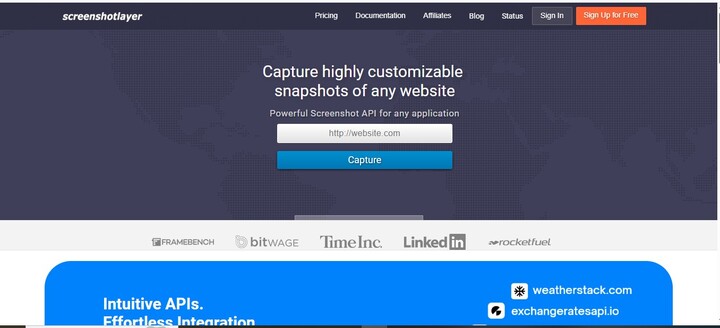
For developers looking for a reliable screenshot solution, screenshotlayer provides a flexible API designed for scalability and ease of integration.
Key advantages include:
- Real-time website screenshot capture
- Multiple viewport and resolution options
- Secure API authentication
- Fast and scalable infrastructure
- Easy-to-follow developer documentation
These features make it easier for developers to integrate screenshot functionality into their applications with minimal setup time.
If your application requires automated website screenshots, integrating a dedicated API can significantly simplify development.
Instead of building your own screenshot infrastructure, you can rely on a scalable service designed specifically for developers.
Explore the full capabilities and integration guides by visiting https://screenshotlayer.com/ and start building powerful visual features into your applications today.
Frequently Asked Questions
What is a screenshot API?
A screenshot API is a web service that allows developers to capture images of websites programmatically. By sending a request with a target URL, the API renders the webpage and returns a screenshot.
Why do developers use screenshot APIs?
Developers use them to automate visual capture of web pages for applications like monitoring tools, analytics dashboards, and marketing platforms.
How easy is it to integrate a screenshot API?
Integration is usually straightforward. Developers simply send HTTP requests using their API key and desired parameters, following the official documentation.
What formats do screenshot APIs support?
Most services support common image formats such as PNG, JPEG, and sometimes WebP depending on the API configuration.
Can screenshot APIs capture full web pages?
Yes, many services support full-page screenshots, allowing developers to capture the entire page instead of just the visible viewport.
Is documentation important when choosing an API?
Yes. Clear screenshot API documentation helps developers understand features, parameters, and error handling, making integration much faster and more reliable.