Kitchen Cabinet Drawing Specifications & Dimension Guide
Posted by Drawstick LLC
Filed in Business 482 views
Introductions:
Imagine building your dream kitchen without a blueprint – it sounds risky, doesn’t it? One homeowner learned this the hard way when a custom cabinet wouldn’t fit its space, simply because the measurements weren’t on paper. This article will be your friendly guide to cabinet shop drawings and dimensions, using plain language and even a story or two. By the end, you’ll see why clear cabinet drawings (think of them as the instruction manual for carpenters) ensure your cabinets fit perfectly and give you confidence to buy or build with ease. We’ll also introduce useful terms and tools (like drawstick) and link key concepts to helpful resources.
What Are Cabinet Drawings and Shop Drawings?
A cabinet drawing is essentially a detailed plan of a cabinet. It shows how wide, tall, and deep each cabinet is, and where shelves, doors, or drawers go. When these drawings include all the specs for how cabinets are built – materials, hardware (like hinges and handles), joinery, and finishes – they’re often called cabinet shop drawings. In simple words, shop drawings are the blueprints carpenters and cabinet makers use to fabricate every piece accurately.
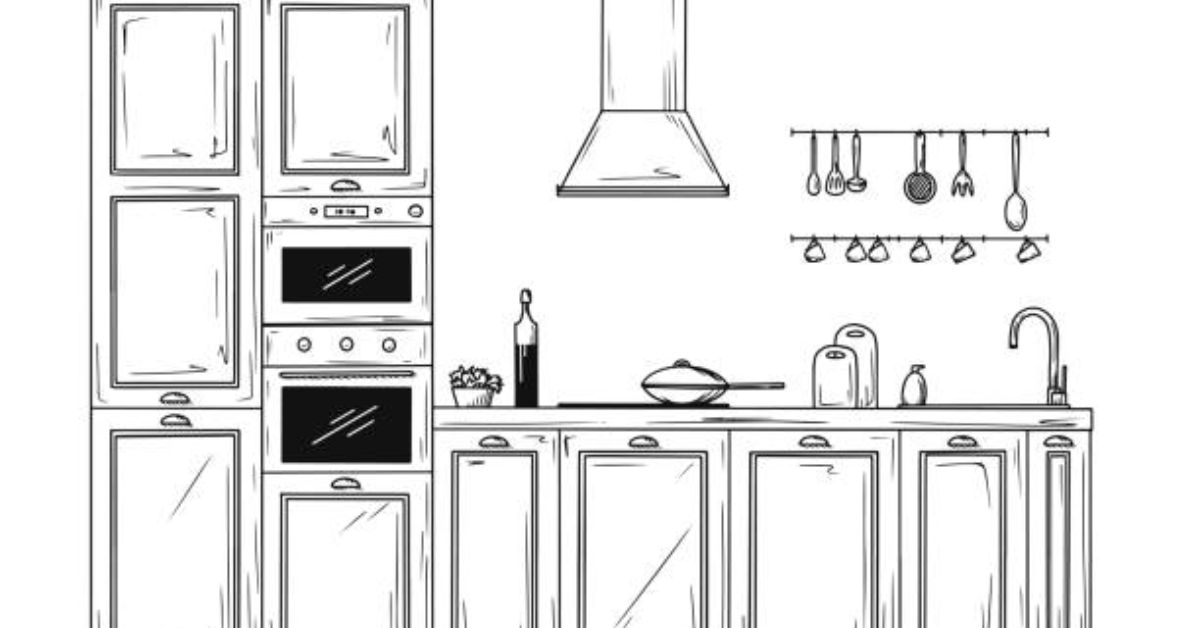
For example, a cabinet shop drawing might show a front view (elevation) of kitchen base cabinets with exact widths, and a side cut (section) showing the thickness of the wood and how deep each shelf is. They can even include top-down (plan) views showing how cabinets fit around appliances. All these views together remove any guessing. As one expert explains, cabinet shop drawings “operate as instruction manuals for building cabinets, so everyone has the same instructions, from designer to manufacturer to installer”.
Using these drawings is like having “the customer, the designer, and the manufacturer at one place”. In other words, clear drawings prevent miscommunication and save costly mistakes. When shops receive well-detailed cabinet and casework shop drawings, they can cut wood and assemble units exactly as envisioned, reducing waste and rework.
Key Elements of Cabinet Shop Drawings
A complete cabinet drawing set will usually include several views and details:
-
Plan (Top) View: Shows the layout from above. You can see how base cabinets line up along walls or around an island. This helps plan the floor space and reveals any clashes (for example, a dishwasher next to a door jamb).
-
Elevation (Front/Side Views): These show each cabinet face-on. For instance, a kitchen elevation drawing will label each wall cabinet and base cabinet with its height and width, and indicate where doors and drawers go.
-
Section (Cutaway) View: Imagine cutting through a cabinet from front to back. A section shows internal construction (shelves, dividers, toe kick) and is useful for hidden details like how thick the back panel is or the joint method.
-
Detail Views: Sometimes a special detail (like a corner, drawer slide, or molding) needs zooming in. Detailed drawings show exactly how that part is assembled.
-
Legends & Notes: These explain symbols (for example, what “DC” means for drawer components), list materials (maple plywood? particle board?), and specify hardware (3″ handles, soft-close hinges).
Together, these views paint the full picture. For example, DrawStick’s cabinet services promise “plan, elevation, section, and detail views with complete joinery specs” for residential or commercial projects. This means every board and joint is dimensioned and labeled, so nothing is left to chance.
Another key element is dimensions. Every critical measurement should be on the drawing. For a cabinet, that includes overall width, height, and depth. It may also include secondary dimensions: shelf spacing, door clearances, and even the distance from the floor to a mount point. These dimensions are usually given in inches or millimeters right on the drawing, often with arrows or extension lines to show exactly where they apply. Clear dimensions let you say, “Yes, that 36″ wide sink cabinet will fill the space exactly.”
Standard Kitchen Cabinet Dimensions
To make shop drawings easier, many cabinet makers follow standard sizes. You don’t have to memorize them all, but here are common dimensions to keep in mind:
-
Base Cabinets: Typically 34½″ tall (without countertop) and 24″ deep. With a standard 1½″ countertop, the total height is about 36″. Widths usually come in increments like 12″, 18″, 24″, 30″, 36″, 42″, and 48″. (For example, a sink cabinet might be 36″ wide.)
-
Wall (Upper) Cabinets: Usually 12–42″ high (common is 30″ or 36&Prime
 and 12–24″ deep. Widths range from 12″ up to 36″ or more. For instance, a microwave wall cabinet might be 30″ wide and 18″ high.
 -
Tall (Pantry) Cabinets: Often 84″ to 96″ tall, 12–24″ deep. These run floor-to-ceiling or near it. Widths again follow 12″, 18″, 24″, etc.
-
Countertops: 25–26″ deep (to accommodate overhang) and 1½″ thick.
-
Toe Kick: The recessed base at the bottom of base cabinets is often 3″ high and about 3″ deep. This lets you stand closer to the counter.
(These are standards many manufacturers use, but custom sizes can vary if you need them. Always double-check your specific needs.) For example, The Spruce notes that base cabinets are generally 34.5″×24″ (H×D) with widths 12–48″.
Figure: Sectional cabinet drawing with dimensions for height and depth. Clear labels (like “2200 FFL to FCL&rdquoensure each piece is cut correctly. (Source: TrueCADD)
The diagram above illustrates these principles. It shows a cabinet section with critical heights from the finished floor (FFL) to the ceiling or countertop, and depths of shelves. By labeling every part, the cabinet maker knows exactly what to cut. For instance, a dishwasher gap or appliance clearance must be dimensioned so you don’t end up with a fridge door that won’t open fully. In fact, cabinet shop drawings often include tolerances and clearances for appliances and maintenance, ensuring everything from a toaster to a corner cabinet fits without surprises.
Step-by-Step Guide to Creating Accurate Cabinet Drawings
Creating cabinet shop drawings can be done step-by-step. You don’t need to be a CAD expert; you can sketch first and have a pro draft final drawings. Here’s a general approach:
Measure Your Space Carefully:
Start by measuring the kitchen area. Note wall lengths, ceiling height, windows, doors, and any obstructions. For example, measure from the left corner to the right corner, including any alcoves. Also measure the floor-to-ceiling height and the distance between walls that will hold cabinets. These measurements set the drawing’s stage.
Sketch a Floor Plan:
Draw a simple plan (bird’s-eye view) on graph paper or a computer program. Mark where each base and wall cabinet will go. Include sinks, stove, fridge, and windows. This helps you see how cabinets wrap around corners or leave room for appliances.
Draw Elevations:
For each wall of cabinets, draw a front elevation. On this elevation, outline each cabinet front, including doors and drawers. Write in the intended width of each cabinet. Base cabinets go on one layer (with a toe kick), wall cabinets above them, etc. Show countertop lines and any bulkheads.
Dimension Everything:
This is crucial. On your plan and elevations, mark the dimensions. On the floor plan, dimension overall wall lengths and the location of windows/doors. On elevations, dimension from the floor to the underside of wall cabinets and to the top of wall cabinets. Also dimension between cabinets (for example, “Cabinet A is 15″ wide, then 30″ width fridge space, then Cabinet B 18″ wide”). Use clear leader lines or extension lines. Best practice is to dimension from a fixed point, like the end of a wall or a corner, so everyone measures from the same reference.
Add Section Details:
Pick one representative cabinet and draw it in section (side view cut-through). Show internal shelf heights, back panel thickness, and the toe kick depth. This helps the builder understand construction.
Specify Materials and Hardware:
Write notes or a legend indicating finishes (e.g., “Maple plywood carcass, oak veneer doors”), and hardware (e.g., “Hinge type: concealed soft-close Blum hinge”). Label each cabinet with an ID (like A1, B2) that corresponds to a schedule.
Review with Stakeholders:
Show these drawings to anyone involved – designers, contractors, homeowners. Make sure the tall pantry cabinet is the right height, the sink lines up with plumbing, etc. This “approval drawing” step prevents errors. Once approved, you (or the shop) can finalize the detailed “shop drawings” with cutting lists.
Using an ordered checklist like this can prevent misses. For instance, one renovator forgot to note the counter thickness on a drawing and ended up with a countertop that was a half-inch too tall, throwing everything off. By following steps and double-checking dimensions, such headaches disappear.
Tools and Software for Cabinet Design
Today there are software tools to make cabinet design and estimating easier. For example, millwork estimating software can automatically calculate material quantities and costs once the dimensions are entered. There are industry-specific CAD/BIM tools like Cabinet Vision, Microvellum, or even cabinet and millwork estimating software packages that handle cabinets, moldings, and hardware lists. These tools let you draw cabinets and they generate cut lists and prices.
Even if you prefer hand drawings, digital drafting services exist. For instance, companies like DrawStick offer cabinet shop drawing services (even mentioning cabinet drawings on their site). They use AutoCAD, Revit, or Microvellum to produce precise, code-compliant drawings. Using such services or software means your cabinets will be designed and priced with professional accuracy, giving you confidence in what you order or build.
Ultimately, clear drawings and good tools empower you to shop or build with confidence. Knowing the exact measurements and specifications ensures the cabinets you buy will fit. This removes doubt – you won’t wonder, “Will this base cabinet be too tall for my window?” or “What if the painter’s hardware specification was misunderstood?” Instead, everyone can see exactly what goes where and how.
Building Confidence: From Drawings to Delivery
By now, you have a sense of how a cabinet shop drawing is created and why each dimension matters. Professional standards (like those from the AWI – Architectural Woodwork Institute) even codify common cabinet types using series numbers, so fabricators know what “301M” means (that’s a wall cabinet with certain size, for example). While home DIYers don’t need to memorize AWI codes, being aware that such standards exist reinforces the benefit of precision.
When it comes time to purchase cabinets or services, use your drawings to compare. For custom work, a fabricator can quote from your shop drawing directly. For stock cabinets, you can match your measurements to cabinet specs. In any case, clear drawings remove the guesswork – you can “buy with confidence” because you know exactly what space and fit you need.
In our introductory story, the frustrated homeowner could have avoided that mishap by checking the cabinet width against the available space in the drawing. Now, with the tips and terms above, you’re equipped to create or understand cabinet drawings like a pro. Whether sketching a simple elevation or using software, each step brings your kitchen closer to reality – no surprises, just perfect-fitting cabinets.
Conclusion: Proper cabinet drawings are the foundation of a smooth kitchen project. They transform ideas into actionable plans, align everyone’s expectations, and guarantee that the cabinets you buy or build will slot into place. By following the specifications and dimension guidelines above, and leveraging tools or drafting services (like DrawStick or cabinet design software), you’ll be prepared to make confident purchasing decisions.
FAQs
Q: What exactly is a cabinet shop drawing?
A: It’s a detailed set of drawings that shows how to build and install cabinets. Shop drawings include every dimension, material, joinery detail, and hardware placement for each cabinet. Think of them as blueprints for your cabinets, used by manufacturers to fabricate and by installers to assemble.
Q: Do I have to stick to standard cabinet sizes?
A: Not necessarily. Standard sizes (like 34.5″ high base cabinets and 24″ deep) exist for convenience, but most installers can build custom dimensions. However, even with custom sizes, it’s best to use drawings to specify exactly what you need. This avoids surprises like buying a 36″ cabinet for a 34″ space.
Q: How do casework shop drawings differ from cabinet drawings?
A: “Casework” usually refers to built-in furniture and fixtures (like classroom cabinets or library shelves). Casework shop drawings follow the same idea: they detail built-in cabinets attached to walls or floors. They include dimensions, materials, and installation notes just like kitchen cabinet drawings. The term highlights that these cabinets are integrated into the building’s casework.
Q: Can software really help me estimate cabinet costs?
A: Yes. Dedicated cabinet and millwork estimating software can save time and reduce errors. These programs let you input your dimensions or even import your drawings, and they calculate material quantities (wood, screws, etc.), labor, and total cost. They often connect with databases of hardware prices. Using such software (or services like DrawStick that employ it) can give you quick, accurate quotes so you can budget confidently.
Q: What is DrawStick, and how can it help with my kitchen project?
A: DrawStick is a professional drafting and estimating service. They specialize in construction plans, including cabinet shop drawings and millwork layouts. If you don’t want to draw by hand or you need very precise shop-ready drawings, a company like DrawStick can take your design and turn it into detailed, production-ready drawings. This ensures every cut and joint is planned, which means you (or your cabinet maker) can proceed with confidence and accuracy.