Buying Gaming PCs: What to Know Before You Start
Posted by Cybertron International, Inc
Filed in Business 224 views
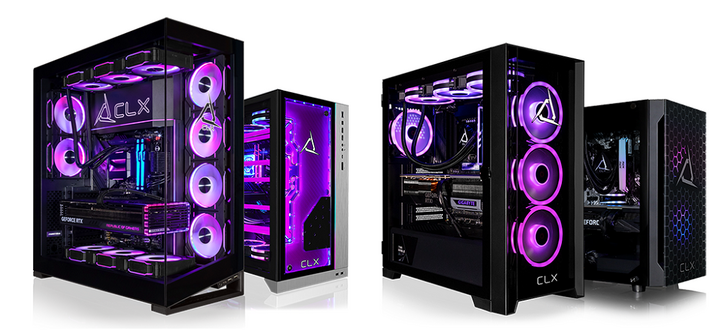
The primary consideration when planning to buy gaming PCs is how you will use them. Hardware requirements vary significantly by genre. For example, open-world environments require strong memory and graphics processing, whereas fast-paced shooters prioritize high frame rates. Your specific gaming preferences will ultimately dictate the most effective hardware configuration.
Screen resolution also affects performance. A 1080p display needs less power than a 4K monitor. Refresh rate matters as well. A 144Hz screen requires a system capable of delivering higher frame counts. These choices influence every major component inside the build.
Processor and Graphics: The Core of Performance
The processor manages calculations, background tasks, and game logic. A modern multi-core CPU keeps gameplay smooth while handling streaming or voice chat. Games with complex simulations rely heavily on CPU performance.
The graphics card renders images, textures, and lighting effects. This component determines visual quality and frame rate. For competitive gaming, steady frame delivery improves responsiveness. For cinematic titles, higher graphical settings enhance detail and immersion.
Balancing CPU and GPU prevents bottlenecks. Pairing a high-end graphics card with a weak processor can limit performance. The reverse also creates inefficiencies. A balanced system ensures consistent results across different games.
Memory and Storage: Speed and Space
System memory affects how many tasks run at once. Most modern setups benefit from at least 16GB of RAM. This allows smooth multitasking and stable gameplay during long sessions. Some titles with large environments or heavy mods may benefit from more.
Storage impacts loading times and system responsiveness. Solid-state drives reduce delays when launching games or switching levels. Large game libraries require ample space, so combining SSD speed with additional storage capacity offers flexibility.
Cooling and Case Design
Heat management keeps components running at stable temperatures. Gaming systems generate significant heat under load. Effective cooling helps maintain performance and extends hardware lifespan.
Airflow depends on case design, fan placement, and internal layout. Clean cable management improves airflow and reduces heat buildup. Liquid cooling can provide additional temperature control for high-performance systems.
Noise levels also depend on cooling choices. Quiet fans and enhanced airflow create a more comfortable environment during extended play sessions.
Connectivity and Upgrade Potential
Modern gaming setups rely on strong connectivity. Fast internet supports online play and downloads. Multiple USB ports allow connection of peripherals such as controllers, keyboards, and headsets.
Upgrade potential extends the system’s lifespan. A motherboard with extra slots allows future expansion. Additional storage, more memory, or a new graphics card can be added later. This flexibility reduces the need for a full replacement.
Matching the System to Your Routine
Daily habits influence the right configuration. A system used for casual gaming and media consumption has different needs than one built for competitive play or content creation. Consider how often the system runs, what software is used, and whether multitasking is required.
Desk space and setup layout also matter. Compact builds fit smaller areas, while larger cases allow better cooling and expansion. Peripheral choices, such as monitors and input devices, should align with the system’s capabilities.
Where to Buy Gaming PCs
When you decide to buy gaming PCs, working with a specialized builder can simplify the process. Clear component options, tested configurations, and reliable support help ensure the system meets expectations.
CLX Gaming provides custom-built systems designed for different performance needs. Detailed configuration options allow each setup to match specific preferences, from competitive gaming to creative workloads.
For More Information About Gaming Computers For Sale and Pre Built Gaming Computers Please Visit: Cybertron International, Inc.