How Outlook PST Repair Software Protects Your Email Data
Posted by deni denial
244 views
Introduction to Outlook PST Repair Software
Imagine waking up one day to find that your important emails, contacts, and calendar appointments have vanished. It's a nightmare for anyone who relies on Microsoft Outlook for managing their personal or professional communication. This is where Outlook PST Repair Software comes into play. Designed specifically to tackle the frustrating issue of corrupted PST files, this software not only recovers lost data but also protects your email information from future disasters. If you've ever faced the anxiety of potential data loss, understanding how this tool works could be a game-changer for you. Let’s dive deeper into the world of Outlook PST Repair Software and discover how it can safeguard your valuable email data!
Common Causes of PST File Corruption
PST file corruption can stem from various issues, often leaving users in a bind. One primary culprit is system crashes. When Outlook is running and the computer suddenly shuts down, it can disrupt data integrity.
Another common cause is oversized PST files. As your emails accumulate, exceeding the size limit set by Outlook leads to complications that may corrupt data.
Virus attacks also pose significant risks. Malicious software can infiltrate and damage critical files within your PST, rendering them unusable.
Improper shutdowns of Outlook or power outages during use create additional vulnerabilities. These abrupt interruptions don't allow the program to save data correctly.
Using outdated versions of Outlook might introduce compatibility issues that compromise file stability. Regular updates are essential for maintaining optimal performance and safeguarding your email data against corruption.
Features and Benefits of Outlook PST Repair Software
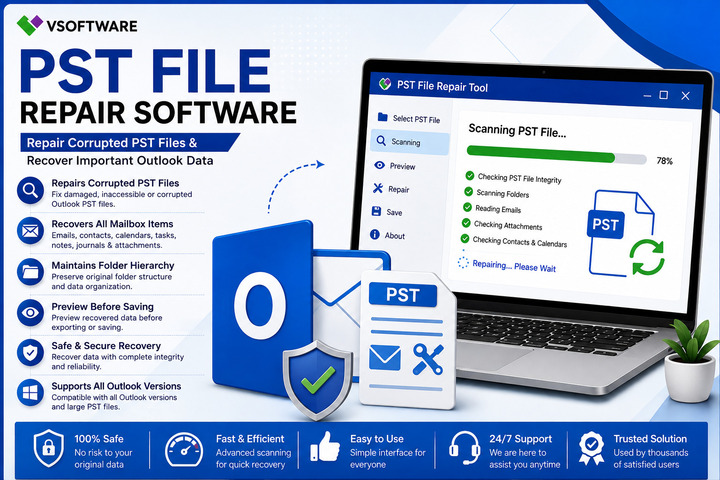
Outlook PST Repair Software comes loaded with a variety of features designed to restore and protect your email data efficiently. One standout feature is its ability to recover corrupted or damaged PST files without losing any crucial information. This ensures that important emails, attachments, and contacts are salvaged.
User-friendliness is another significant benefit. Most software solutions provide intuitive interfaces that make navigation easy for users of all skill levels. You don’t need to be tech-savvy to understand how it works.
Additionally, many tools offer advanced scanning options tailored for deeply corrupted files. These thorough scans increase the chances of recovery significantly.
Another noteworthy aspect is compatibility; most Outlook PST Repair Software supports various versions of Microsoft Outlook, making it versatile for different user needs. With such robust features at hand, safeguarding your email data becomes a seamless experience.
Step-by-Step Guide on Using the Software
To get started with your Outlook PST Repair Software, first download and install the application on your computer. Follow the setup prompts to ensure a smooth installation process.
Once installed, launch the software. You'll see an intuitive interface that guides you through recovery steps. Click on "Select File" to browse for the corrupted PST file. Choose it and hit "Open."
Next, select the scanning mode—either Quick or Advanced—based on how severe you believe the corruption is. For minor issues, Quick Scan usually suffices; however, Advanced Scan digs deeper into complex corruptions.
After initiating the scan, wait for a few moments as it processes your data. The software will display recoverable items once complete. You can now preview these items before saving them back to your Outlook or exporting them in various formats.
Choose where you'd like to save recovered files and click “Save.” Your email data is now secured once again!
Tips for Maintaining a Healthy PST File
To keep your PST file in top shape, regular maintenance is key. Start by archiving old emails. This reduces the size of your PST file and improves performance.
Next, compact the PST file periodically. Outlook has a built-in feature to do this, which helps free up space and enhances efficiency.
Be mindful of attachments as well. Large files can bloat your PST and lead to corruption over time. Store them separately if possible.
Always have a backup strategy in place too. Regularly backing up ensures you won't lose critical data during unexpected failures or corruption.
Consider using Outlook's built-in repair tool occasionally for routine checks on your PST file’s health. Taking these proactive steps can save you from costly data recovery down the road.
Comparison with Other Email Data Protection Methods
When evaluating email data protection methods, Outlook PST Repair Software stands out for its focused approach. While traditional backup solutions safeguard against loss, they don't specifically address corruption issues within PST files.
Other methods like cloud storage provide convenience but may lack the granularity needed for recovering specific emails or attachments within a corrupted file. These solutions often come with bandwidth limitations too.
Antivirus software helps prevent threats but isn’t designed to repair damaged files. This leaves users vulnerable when it comes to retrieving lost information after an incident of corruption.
Outlook PST Repair Software offers targeted features that restore integrity directly to affected files, ensuring quick recovery without needing extensive backups. Its specialized tools set it apart in maintaining the health and accessibility of critical email data.
Final Thoughts and Recommendations
Email communication has become a cornerstone of personal and professional interactions. Protecting your email data, especially when using Outlook, is paramount. This is where Outlook PST Repair Software shines as an essential tool for users.
By understanding the common causes of PST file corruption—such as unexpected shutdowns, virus attacks, or hardware failures—you can appreciate the importance of having reliable software at your disposal. The features and benefits offered by this software make it a powerful ally in safeguarding your important information.
The ease with which you can use Outlook PST Repair Software means that even those without technical expertise can navigate through recovery processes with confidence. Coupled with regular maintenance tips for keeping your PST files healthy, this software ensures longevity and stability for all user data.
Comparatively speaking, while there are other methods available for protecting email data, none quite match the specific focus and effectiveness of dedicated repair software like this one. It stands out not just in functionality but also in its ability to provide peace of mind to users who rely on their emails daily.
For anyone looking to secure their valuable communications against potential loss or damage, investing in Outlook PST Repair Software could be one of the best decisions you make today. Whether you're facing current issues or simply planning ahead, having such tools ready will always serve you well.