How to Delete Duplicate Emails in Outlook 365 Efficiently
Posted by deni denial
Filed in Technology 330 views
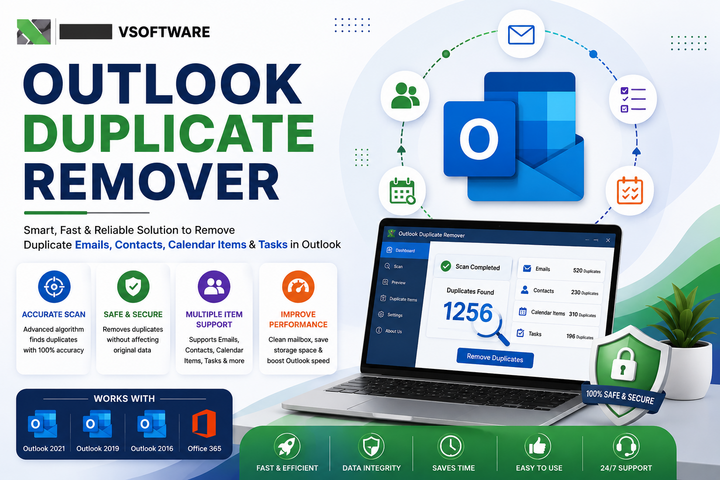
Introduction to Outlook 365 and duplicate emails
Outlook 365 has become a staple for countless professionals and businesses, providing an efficient platform to manage emails, calendars, tasks, and more. However, as we navigate through our busy inboxes, duplicate emails can sneak in and clutter our digital workspace. These pesky duplicates not only waste precious storage space but also make it harder to find important messages when you need them most. Tackling the issue of duplicate emails in Outlook 365 is essential for maintaining an organized and productive environment. In this guide, we'll explore various methods to identify and eliminate those annoying duplicates efficiently so that you can enjoy a cleaner inbox without the headache!
Why it's important to delete duplicate emails
Duplicate emails can clutter your inbox and create unnecessary confusion. When important messages are lost amidst duplicates, productivity suffers. Finding that crucial email becomes a scavenger hunt rather than a simple task.
Moreover, duplicate emails can lead to miscommunication. Responding to the same message multiple times or missing key information affects collaboration with colleagues. It may even result in missed deadlines or overlooked tasks.
Managing duplicate emails is not just about tidiness; it's about efficiency. A streamlined inbox enhances focus and allows for better organization of your work life.
Additionally, keeping your email organized ensures you never miss an important notification from clients or team members. This could be vital for maintaining professional relationships and ensuring smooth workflows in any business environment.
Manual method for deleting duplicate emails
If you prefer a hands-on approach, deleting duplicate emails manually in Outlook 365 is straightforward. Start by opening your inbox and sorting emails by date or subject. This makes it easier to spot duplicates.
Once you've identified them, click on the email you want to delete. Use the delete button or right-click to find the option quickly. It can be time-consuming if you have many duplicates, so patience is key.
For better organization, consider creating folders for specific topics or senders. This way, similar emails will be grouped together, making duplicates more apparent during your clean-up session.
Remember that this manual method requires diligence. Regular checks can prevent clutter from accumulating again. Keeping an eye on incoming messages also helps maintain order in your inbox without relying solely on automated solutions.
Using built-in tools in Outlook 365 to find and delete duplicates
Outlook 365 offers some handy built-in tools to help you manage duplicate emails. The first step is using the search feature effectively. You can filter your inbox by date, size, or sender to locate those pesky duplicates.
Another useful tool is the "Clean Up" function. This option consolidates conversations and removes redundant messages. Just select a folder, click on “Clean Up,” and watch as Outlook streamlines your email threads.
For a more thorough approach, consider using the “View” settings in your mail folders. Switch to "List" view for better visibility of duplicate entries. Sorting by subject or date can quickly reveal emails that are repeated.
These methods not only reduce clutter but also enhance productivity as you declutter your email environment with just a few clicks in Outlook 365.
Third-party software options for managing duplicate emails
When it comes to managing duplicate emails in Outlook 365, third-party software can be a game-changer. These tools are designed specifically for this purpose, offering features that streamline the process and save you time.
One popular option is Duplicate Email Remover. This handy tool scans your inbox and identifies duplicates quickly. With just a few clicks, you can remove unnecessary copies while keeping your important messages intact.
Another excellent choice is Mailbox Organizer. It allows users to sort through their emails efficiently and provides options for bulk deletion of duplicates. The user-friendly interface makes navigation easy even for those who aren’t tech-savvy.
For advanced users, Lookeen offers comprehensive search capabilities alongside its duplicate management functions. This software not only finds duplicates but helps optimize email organization overall.
Choosing the right solution depends on your specific needs, so exploring these options could lead to a more organized Outlook experience.
Tips for preventing duplicate emails in the future
To prevent duplicate emails in Outlook 365, start by organizing your contacts. Regularly update and maintain your address book to avoid entering the same email address multiple times.
Consider using a single email account for all communications. This practice minimizes the chance of receiving duplicates from different accounts.
Also, be cautious when subscribing to newsletters or mailing lists. Use unique identifiers like tags or folders to manage subscriptions better, helping you track where each message originates.
Enable rules within Outlook 365 that automatically filter incoming messages based on specific criteria. This can help catch potential duplicates before they clutter your inbox.
Educate yourself about phishing scams and unreliable sources. Often, these can lead to unnecessary duplicate emails flooding your inbox if you're not careful. Stay informed and vigilant!
Conclusion
Duplicate emails in Outlook 365 can be more than just a nuisance; they clutter your inbox and make it difficult to find important messages. By taking the time to manage these duplicates efficiently, you free up space and enhance your productivity. Whether you choose manual methods or leverage built-in tools, both strategies can help streamline your email experience.
For those facing a significant number of duplicates, third-party software may offer robust solutions that save time and effort. Additionally, implementing preventive measures ensures that future duplicate emails become a thing of the past.
With these tips in hand, tackling duplicate emails becomes an easier task. A cleaner inbox is not only visually appealing but also functional. Embrace the clarity that comes with managing your emails effectively—you'll wonder how you ever managed without these strategies!