Web Development South Africa: What Businesses Should Know Before Building a Website
Posted by Best Web Design
Filed in Technology 19 views
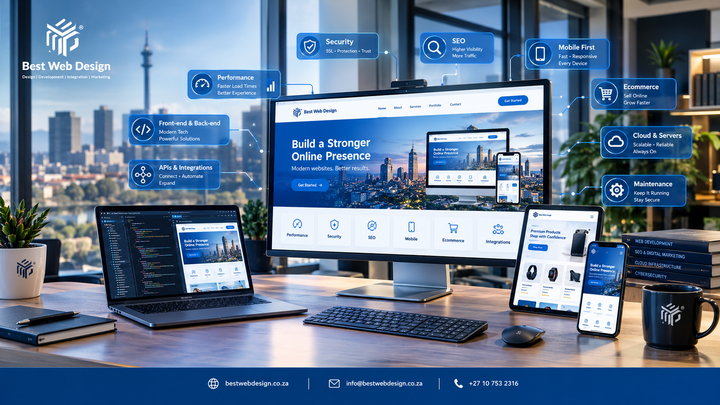
A website is often the first place a customer looks before they call, email or buy. That is why web development South Africa businesses invest in needs to be about more than how a site looks. Design gets the attention, but development decides whether the site loads quickly, works on a phone, protects customer data, connects to your other tools and can grow with the business.
Many businesses only learn this after launch, when forms stop working, pages load slowly or the site cannot cope with a larger product range. Planning the technical side early avoids most of these problems.
This guide explains what web development involves, the main types of website, how custom and template-based builds compare, and what to consider around mobile use, performance, security, SEO, ecommerce, integrations and maintenance. It ends with a checklist you can use before speaking to any developer.
What Is Web Development?
Web development is the technical work that makes a website function. Design decides how a site looks, while development builds it, connects it and keeps it running.
The main parts are:
-
Front-end development: everything a visitor sees and uses, such as layouts, menus, buttons and forms.
-
Back-end development: the server-side logic that processes requests, handles logins and runs the site's features.
-
Databases: where information such as products, orders, enquiries and user accounts is stored.
-
Functionality: features like search, filtering, booking, payments or customer portals.
-
Integrations: connections to outside tools such as payment providers, CRMs and email platforms.
-
Technical infrastructure: hosting, domains, SSL certificates and server configuration.
-
Performance and security: how fast the site responds and how well it is protected.
A simple brochure site may use only a few of these. A larger site with accounts, payments and stock control will use all of them.
Why Web Development Matters for South African Businesses
Professional development matters because a website has to work for real users in real conditions. Many South African visitors browse on smartphones, and mobile data costs and connection quality vary. A site that is slow or awkward on a phone loses people quickly.
Good development supports:
-
Usability: clear navigation and forms that are easy to complete.
-
Mobile access: layouts that adapt to different screen sizes.
-
Business functionality: the features your team and customers need.
-
Performance: pages that load without unnecessary delay.
-
Security: protection for customer and business data.
-
Search visibility: a structure search engines can read and understand.
-
Scalability: room to add pages, products and features later.
None of this is about adding complexity for its own sake. The aim is a site that fits your business now and does not need rebuilding the first time you grow. If you want to see how a development provider approaches this, Best Web Design explains its website design and development services on its website.
Choosing the Right Type of Website
The right type of website depends on what the site must do. Choosing the wrong type is one of the most common planning mistakes.
Business Websites
A business website presents your company, products and contact details. It suits established companies that need credibility and a clear place to send enquiries. Businesses selling to other companies often need more detailed content, such as case information and technical specifications. Best Web Design has a useful article on B2B website design that covers those differences.
Service-Based Websites
A service-based website is built to generate enquiries or bookings. Think of plumbers, accountants, law firms or clinics. These sites need clear service pages, local information, trust signals and simple contact routes. If your main goal is enquiries, it helps to read about lead generation and how a site can be set up to support it.
Ecommerce Websites
An ecommerce website sells products directly. It needs product management, a cart, secure checkout and payment processing. Use this type when online sales are a real part of your business plan.
Portfolio Websites
A portfolio site shows work, such as photography, architecture or design. The priorities are image quality, fast loading and easy browsing. It rarely needs heavy back-end functionality.
Web Applications
A web application performs tasks rather than just presenting information. Examples include client portals, booking platforms and internal dashboards. These need custom development, user accounts and careful security planning.
Custom Web Development vs Template-Based Development
Neither approach is automatically better. The right choice depends on your requirements, budget and plans for growth.
|
Factor |
Custom development |
Template-based development |
|
Flexibility |
High, built around your needs |
Limited to what the template allows |
|
Design control |
Full |
Partial, often with some restrictions |
|
Functionality |
Can be built to specification |
Often relies on plugins or add-ons |
|
Scalability |
Planned into the build |
Depends on the platform and template |
|
Maintenance |
May need developer support |
Often simpler for routine updates |
|
Complexity |
Higher, with a longer build |
Lower, with a quicker start |
Custom web development makes sense when you have unusual workflows, specific integrations or a need for strong control over performance. A template can be a sensible choice for a straightforward site with standard needs and a tighter budget.
Ask what the site must do today and in two or three years. If a template can meet those needs, a custom build may not be necessary.
Why Mobile-Friendly Web Development Matters
Mobile-friendly web development means the site works properly on smartphones, not just that it shrinks to fit. Many people will visit your site on a phone first, so it should be built with that in mind.
Key points include:
-
Responsive layouts: content adjusts to screen size without sideways scrolling.
-
Navigation: menus that are short, clear and easy to use with one hand.
-
Touch interactions: buttons and links large enough to tap accurately.
-
Readability: text that is legible without zooming.
-
Mobile performance: images and scripts that do not overload slower connections.
-
Consistency: the same information and features available on every device.
Test on real phones, not only in a desktop browser preview.
Website Performance and User Experience
Website performance is how quickly and smoothly a site loads and responds. People tend to leave pages that feel slow, and search engines treat page experience as one of many signals.
Areas to look at:
-
Page loading: keep pages lean and avoid unnecessary scripts.
-
Image optimisation: compress images and use suitable sizes and formats.
-
Code efficiency: clean code loads and runs faster than bloated code.
-
Core Web Vitals: Google's measures of loading, interactivity and visual stability. Google's documentation explains the current metrics and thresholds [source needed].
-
Hosting: the quality of your hosting affects response times.
-
User experience: layouts should not shift while loading, and key actions should be obvious.
-
Monitoring: check performance regularly with tools such as Google PageSpeed Insights, because plugins, content and traffic change over time.
No developer can promise a specific speed score forever. What they can do is build with performance in mind and keep checking it.
Website Security Should Be Part of Development
Security should be planned from the start, because adding it afterwards is harder and less reliable. It also continues after launch. It is an ongoing process rather than a one-time task.
Core measures include:
-
HTTPS: an SSL certificate so data is encrypted between the visitor and your site.
-
Secure authentication: strong password rules and, where suitable, two-factor login.
-
Software updates: keeping the platform, plugins and libraries current.
-
Secure integrations: checking that connected tools handle data safely.
-
Access controls: giving each user only the permissions they need.
-
Backups: regular, tested copies you can restore from.
-
Security monitoring: watching for suspicious activity or failed login attempts.
If your site collects personal information, consider your obligations under South Africa's Protection of Personal Information Act (POPIA) and seek proper advice where needed.
SEO-Friendly Web Development
SEO-friendly web development builds a site so search engines can find, read and understand it. Good development cannot guarantee rankings, but poor development can make good content hard to find.
Technical foundations include:
-
Crawlability: search engines can reach your pages through clear links.
-
Indexability: pages you want in search results are not blocked by mistake.
-
Mobile usability: the mobile version carries the full content.
-
Page speed: fast loading supports both users and search engines.
-
Clean site structure: logical sections and sensible URLs.
-
Internal linking: related pages connect to each other.
-
Metadata support: editable titles and descriptions for each page.
-
Image optimisation: descriptive file names, alt text and compressed files.
-
Structured content: proper headings and, where relevant, schema markup.
These are the technical groundwork. Content quality, authority and competition still shape results. To see how this connects to wider search engine optimisation, it helps to treat development and SEO as one plan rather than two separate jobs.
Ecommerce Website Development
Ecommerce website development covers everything needed to sell products safely online. A good online store makes it easy to find, understand and buy a product.
Consider:
-
Product discovery: search, categories and filters that match how customers shop.
-
Product pages: clear images, descriptions, pricing and stock status.
-
Shopping cart: simple to edit, with no surprises.
-
Checkout: few steps, guest options and clear delivery costs.
-
Payment integrations: gateways your customers actually use.
-
Mobile shopping: checkout that works comfortably on a phone.
-
Security: secure payment handling and protected customer data.
-
Inventory: stock levels that update accurately to avoid overselling.
-
Performance: fast category and product pages, even with large catalogues.
-
Scalability: the ability to add products, traffic and features.
Best Web Design describes its approach to ecommerce website development on its site, which is a useful reference when comparing options.
Integrations and Business Functionality
Integrations connect your website to the systems you already use, so information moves without manual re-entry. Choose them based on real business needs, not because they are available.
Common examples:
-
Contact forms: routing enquiries to the right person or inbox.
-
CRM systems: saving leads automatically for follow-up.
-
Payment gateways: processing card and other payments.
-
Email marketing platforms: adding subscribers and triggering campaigns. See Best Web Design's page on email marketing for context.
-
Analytics: tracking visits and actions. Their data metrics service covers reporting.
-
Booking systems: letting clients schedule appointments online.
-
APIs: allowing your site to exchange data with other software.
-
Third-party business tools: accounting, stock or delivery software.
Ask three questions for each one: what problem does it solve, who will use it, and what happens if it fails? Every integration adds something to maintain, so keep the list focused.
Web Development and AI-Powered Search
Search is changing, and AI-powered tools increasingly summarise information from websites that are clear and well organised. No one can guarantee that any change will get a site included in Google AI Overviews, ChatGPT, Gemini, Perplexity or similar tools. Building a clear, accessible site is still sensible.
Practical steps:
-
Clear content structure: use headings, short paragraphs and direct answers.
-
Search intent: write pages around the questions people actually ask.
-
Helpful information: explain services, pricing approach, processes and limits honestly.
-
Entity clarity: make it obvious who you are, what you do and where you operate.
-
Technical accessibility: ensure pages load properly and content is not hidden behind scripts.
-
Structured information: use schema markup where it fits.
-
User experience: easy-to-use pages benefit people and machines alike.
-
Consistent business information: keep your name, address and phone number the same everywhere.
A solid content marketing strategy supports this, since useful content gives search systems something worth surfacing. If you are considering automated customer support, Best Web Design also covers AI chatbots for websites.
Website Maintenance After Launch
A website is not finished when it goes live. Maintenance keeps it secure, fast and accurate.
Routine tasks include:
-
Software updates: platform, plugins and themes.
-
Security checks: scanning for vulnerabilities and unusual activity.
-
Backups: scheduled copies, with occasional restore tests.
-
Broken links: finding and fixing dead pages and redirects.
-
Performance monitoring: watching load times as content grows.
-
Mobile and browser testing: confirming the site works after updates.
-
Content updates: keeping services, prices and contact details current.
-
Technical troubleshooting: resolving errors as they appear.
Decide who is responsible before launch, whether that is your team or an external provider. Best Web Design lists its website maintenance services for businesses that prefer to outsource this.
Web Development Checklist for South African Businesses
Use this list before you brief a developer or approve a build:
-
Business goals: know what the site must achieve, such as enquiries, sales or bookings.
-
Target audience: understand who will use it and on which devices.
-
Website type: choose between business, service, ecommerce, portfolio or web application.
-
Development approach: decide between custom and template-based based on needs.
-
Mobile responsiveness: confirm the site works well on smartphones.
-
Performance: set expectations for loading, hosting and monitoring.
-
Security: plan HTTPS, access controls, backups and updates.
-
SEO foundations: check crawlability, site structure, metadata and speed.
-
Content structure: map pages, headings and key questions to answer.
-
Integrations: list only the tools you genuinely need.
-
Analytics: decide what you will track and who will review it.
-
Scalability and maintenance: plan for growth and name who looks after the site.
Final Thoughts
Good web development rests on a few simple ideas. Start with your goals and audience, choose a website type and build approach that fits them, and treat mobile use, performance, security and SEO as part of the build rather than extras. Pick integrations for real needs, and plan for maintenance from day one.
Because every business is different, there is no single correct approach. The best choice is the one that matches your requirements and can grow with you.
If you would like to talk through your options, Best Web Design is based in Robindale, Randburg, Gauteng. You can reach the team through the contact page, by email at info@bestwebdesign.co.za, or by phone on +27 10 753 2316.